
 Back to List
ESTUN E-Care APP New Release | Full-Chain AI Empowerment for Easier O&M and More Efficient Management
 Publish Date:Aug 14,2026
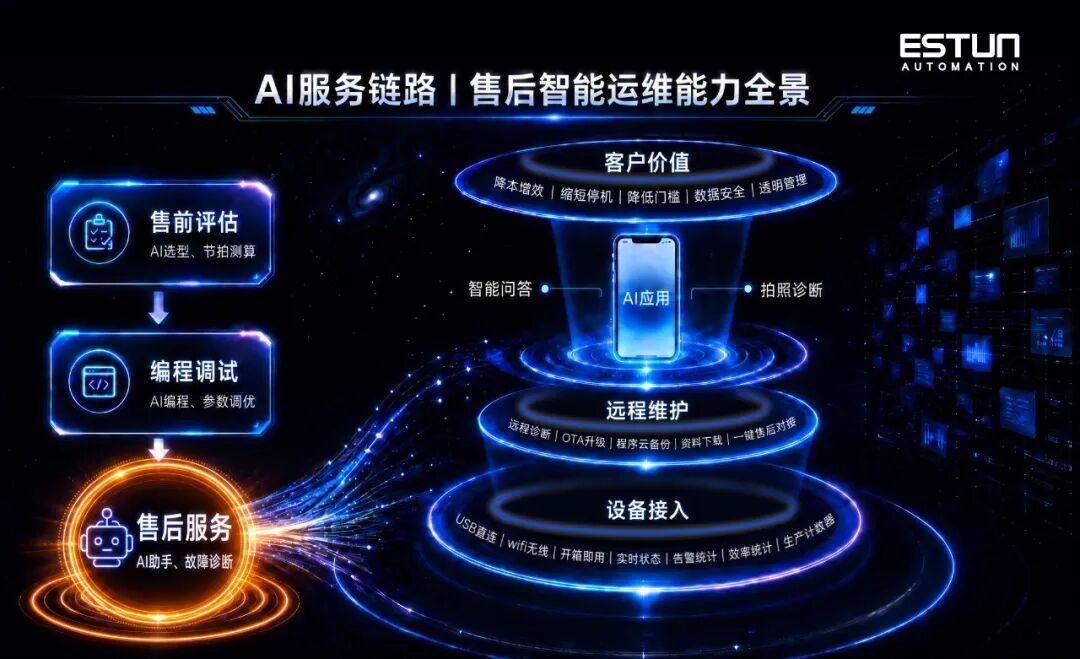
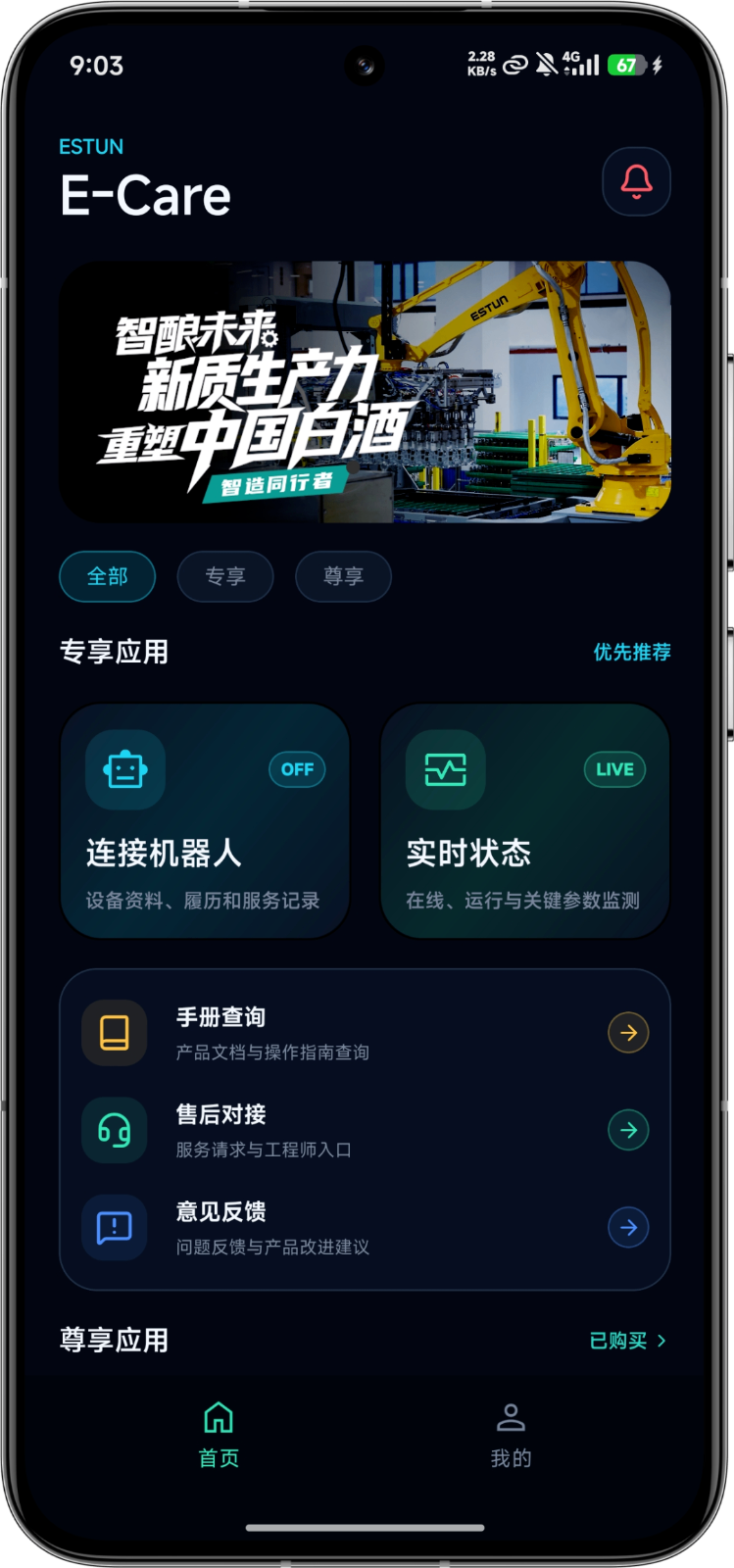
AI is reshaping the full lifecycle service chain of industrial robots, building a digital service closed loop of "pre-sales solution proposal, commissioning labor saving, and after-sales rapid troubleshooting." This time, the E-Care APP is grandly released with a new look, focusing on after-sales service within the full-chain AI system, and relying on the Xiaoi AI Assistant to create a one-stop intelligent operation and maintenance solution for industrial robots. It uses AI technology to solve factory operation and maintenance challenges and empowers manufacturing with efficient, stable, and low-cost production.
[To be replaced later]
01
AI Section:
Xiaoi AI Assistant
7*24 Response, More Efficient Service
Equipped with ESTUN's exclusive large model, the Xiaoi AI Assistant on the E-Care APP platform is no longer just a simple Q&A robot, but a true "intelligent expert" that understands robots. It covers full scenarios such as software and hardware product knowledge, commissioning guidance, alarm analysis, and fault handling, enabling instant answers and quick image-based solutions to operation and maintenance problems, greatly lowering technical thresholds and downtime losses.
01
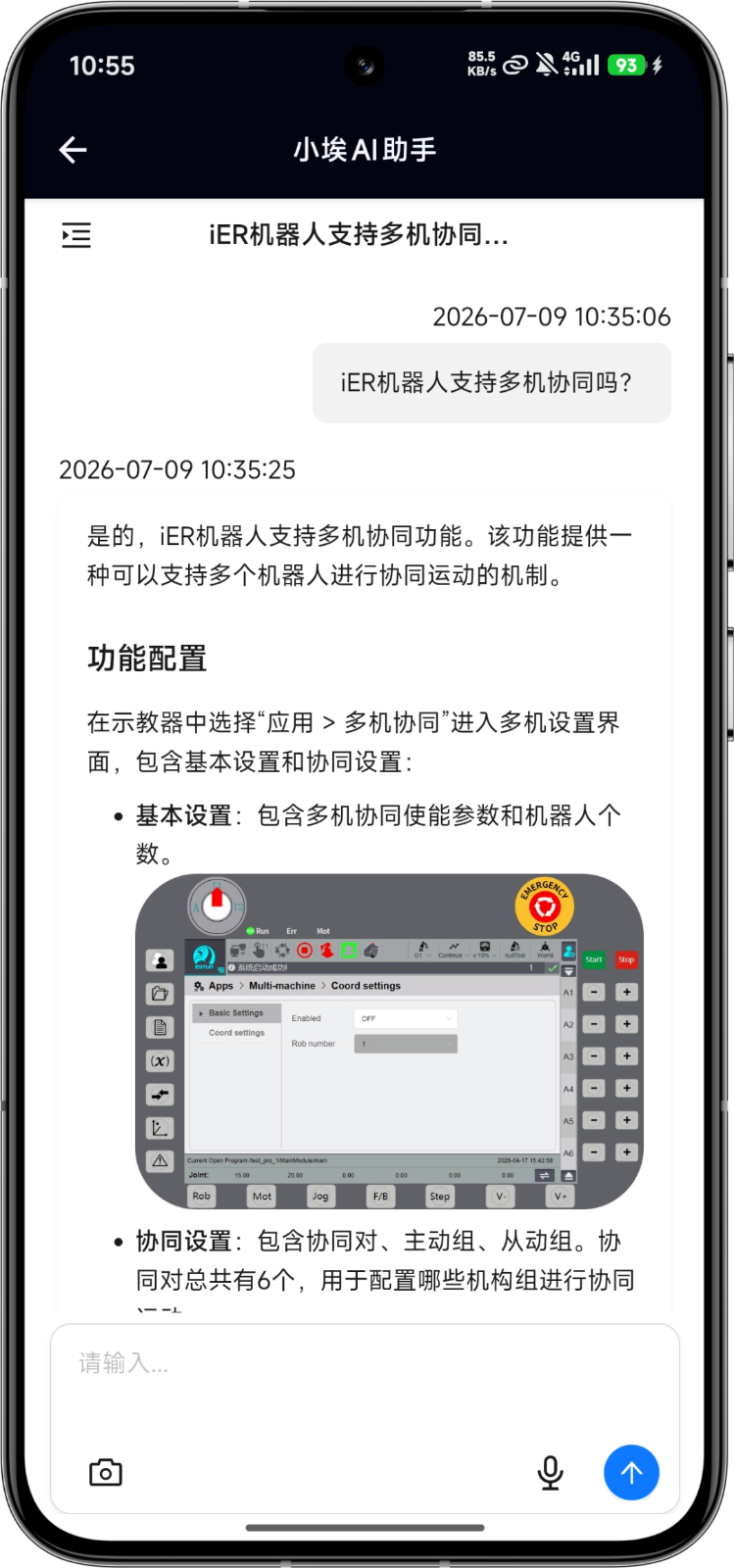
AI Intelligent Q&A: Your Online Robot Expert
Relying on the natural language interaction capabilities of the AI large model, users can directly enter text (with voice-to-text support) to quickly ask questions when encountering any software or hardware problems during robot use. The Xiaoi AI Assistant will output original factory standardized text and image answers in real time.
No-wait service: 24/7 self-service Q&A during night shifts and holidays, handling equipment problems anytime;
Reduced downtime losses: Quickly solve common problems, shorten downtime, and reduce capacity losses;
Lower technical threshold: Guide newcomers to operate independently, achieve rapid onboarding, and reduce dependence on individual engineer experience.
02
AI Photo Diagnosis:
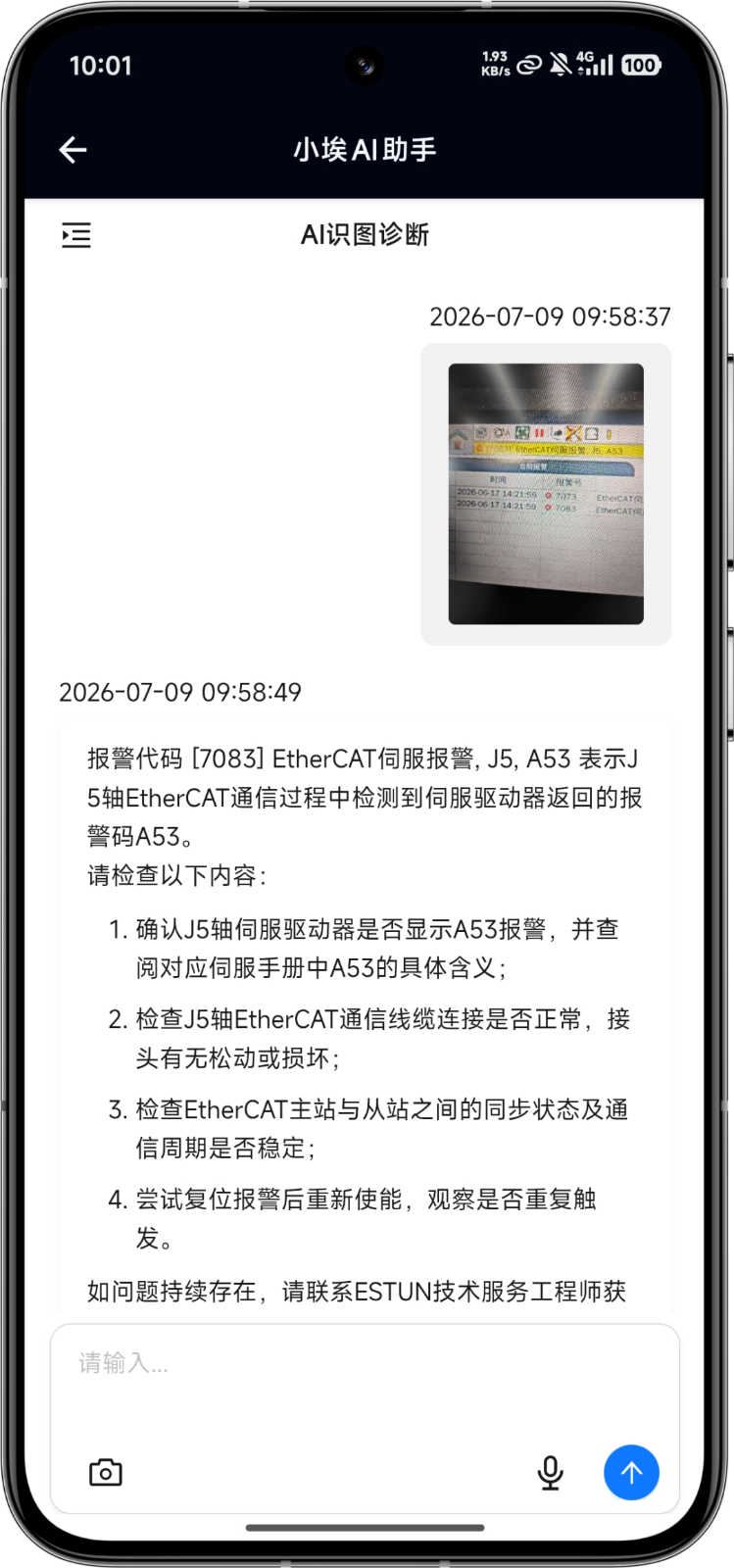
Take a Photo of the Teach Pendant Alarm Screen and Upload It for Instant Diagnosis
Supports taking photos and uploading on-site teach pendant fault alarm screens. AI automatically identifies fault codes and alarm information in the image, without the need for manual transcription, and quickly outputs fault root causes, troubleshooting steps, and solutions.
Simplified interaction: No need to manually enter fault information; one-click photo capture can identify alarm information;
More accurate and efficient fault location: Problems that are difficult to describe in words can be quickly identified and located through images.
02
Operation and Maintenance Scenario Section:
Lightweight and Safer, Remote Operation and Maintenance Within Reach
The E-Care APP focuses on the full scenarios of robot equipment operation and maintenance, providing a one-stop tool matrix from remote interconnection, cloud backup, to manual inquiry and after-sales connection. It covers core links such as troubleshooting, data recovery, and parameter debugging, making operation and maintenance more efficient.
01
Remote Operation and Maintenance: A Lightweight and Safer Remote Assistant
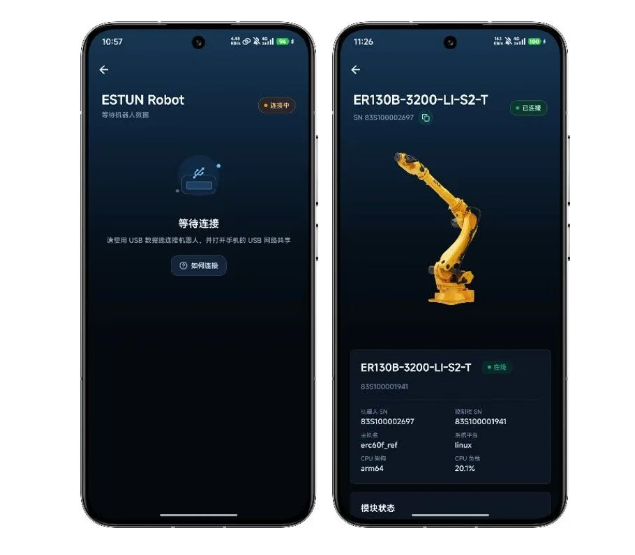
The E-Care features a lightweight design and is ready to use out of the box, without the need for additional industrial gateway deployment. It supports two networking modes: mobile phone USB direct connection and WiFi wireless. After the user authorizes it in the APP, a dedicated encrypted remote channel is automatically created. Together with official engineers, users can remotely perform log analysis, troubleshooting, parameter debugging, OTA upgrades, and other operation and maintenance work, efficiently solving equipment problems and reducing production line downtime losses.
Zero hardware cost investment: No additional hardware cost is required, easily achieving remote operation and maintenance;
Authorized encryption for greater security: The system dynamically creates secure encrypted channels to ensure robot data security;
Flexible adaptation to multiple scenarios: Multiple networking modes flexibly adapt to different workshop network environments;
Greatly reduced downtime: Most debugging and fault problems are solved remotely online, without waiting for engineers to visit, reducing downtime losses.
(The full iER series and some ER series robots support E-Care.)
02
Program Cloud Backup: Scheduled Backup, Rapid Recovery
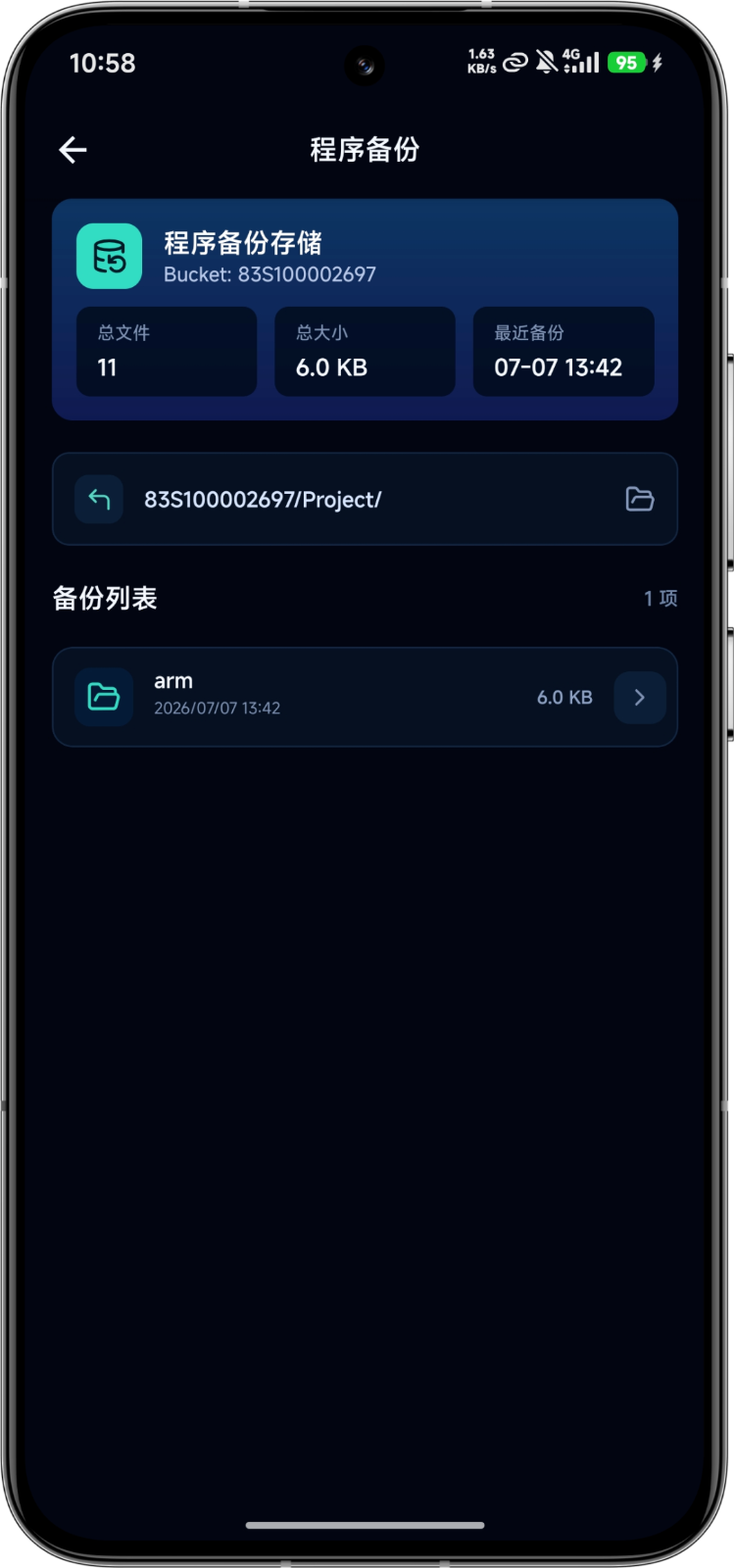
Relying on E-Care's cloud storage capabilities, robot programs can be backed up by robot SN number, supporting unified management of programs for multiple robots. When robots are replaced for debugging or faults occur, backup files can be retrieved with one click to quickly complete program recovery, ensuring the integrity of program data.
Customer value:
Zero loss of program data: Robot programs are stored encrypted in the cloud, avoiding the risk of file loss caused by local hard disk damage or accidental deletion;
Rapid recovery shortens downtime: Quickly restore robot programs under abnormal conditions, avoiding the waste of large amounts of labor hours for re-teaching and programming.
03
Official Manual Acquisition, One-Click After-Sales Connection
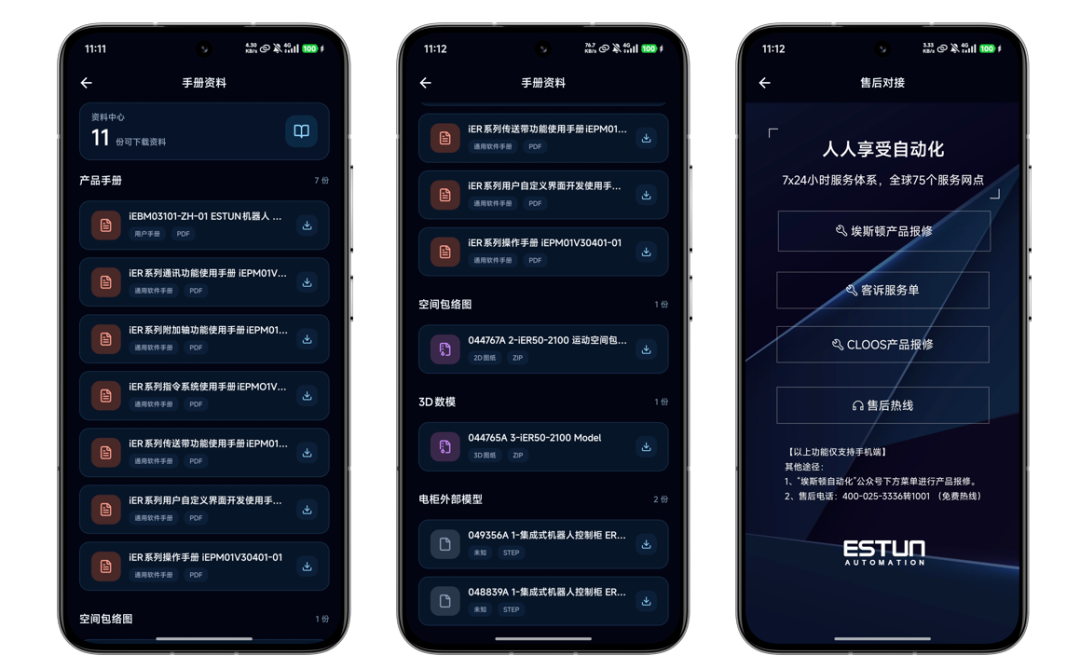
The E-Care APP has built-in official manual materials for the full series of robots, supporting online browsing, downloading, and viewing. Users can quickly obtain official operation guidance anytime and anywhere, without searching for paper documents or checking on a computer. In addition, the E-Care APP has a built-in after-sales repair reporting channel, allowing one-click access to the official service system, greatly simplifying the after-sales communication process and making problem feedback and handling more efficient and smooth.
03
Production Scenario Section:
Production Data at Your Fingertips, Capacity and Efficiency in Hand
The E-Care APP extends production capacity management to the mobile end. Through two core applications, the Device Center and Production Counter, managers can remotely grasp equipment operating status and production data without staying in the workshop, providing accurate basis for production line takt optimization and capacity improvement.
01
Device Center: Real-Time Grasp of Robot Operating Status
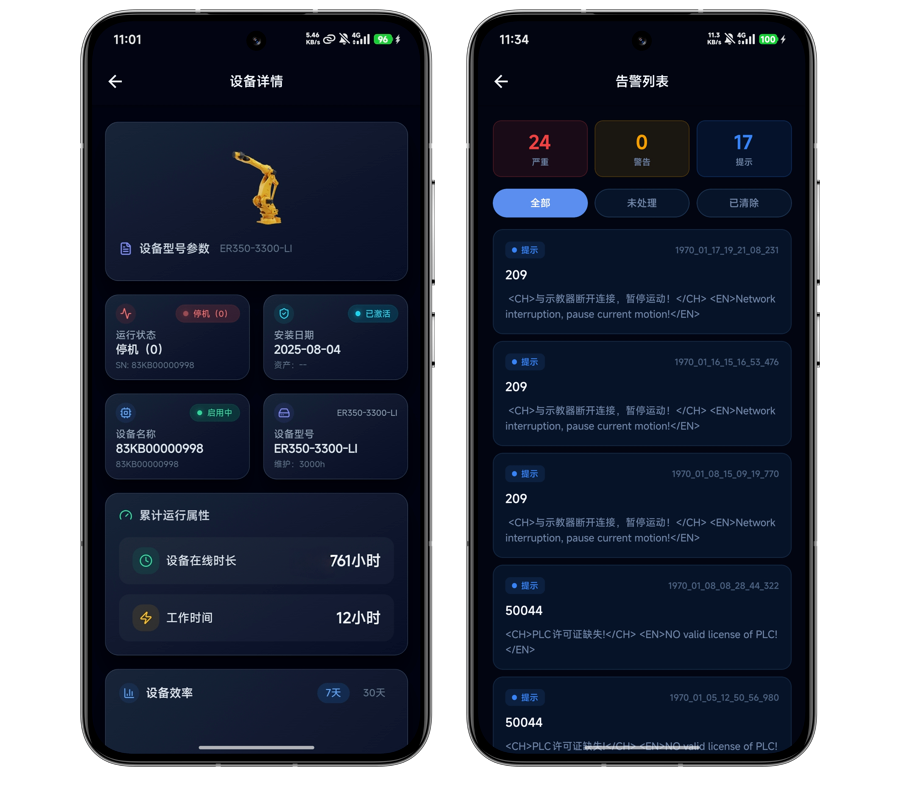
After the robot is connected to the network, users can view the robot's real-time status, operating time, operating efficiency, and fault alarms. It supports unified monitoring of a single robot or multiple robots, and simultaneously generates graphical operation statistical data, allowing users to grasp robot operation anytime and anywhere.
Remote grasp of production line dynamics: No need to stay in the workshop; check robot operating status anytime on your phone, and supervise equipment production remotely even from another location;
Assist production efficiency analysis: Automatically count operating hours, operating efficiency, and alarm statistics, providing data basis for production line takt optimization and capacity improvement.
02
Production Counter:
Custom Monitoring of Program Variables, Production Data at Your Fingertips
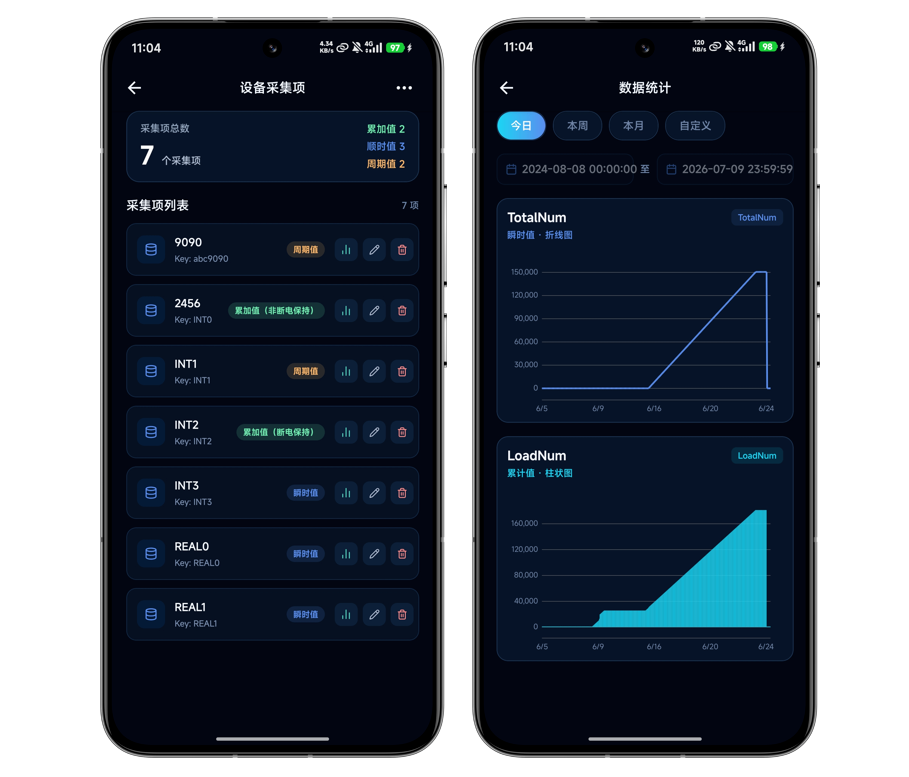
Supports custom monitoring of variables within robot programs. Users can freely add, edit, and delete collection items, and can also copy configurations to multiple devices with one click. The E-Care APP reads variable data in real time and provides statistical query pages, flexibly monitoring custom production indicators such as output, takt time, and process parameters.
Custom monitoring indicators: Capture any variable within the robot program as needed, adapting to personalized production statistical needs such as output counting, process parameters, and workstation takt time;
Mobile-end statistics anytime: Directly retrieve variable statistical data on the mobile end, without going to the workshop to operate the teach pendant, and remotely grasp real-time production data.
04
Download Method
The new version is now online. Download and experience it from today.
iOS system: Open the Apple App Store and search for "E-Care" to download and install;
Android system: Scan the QR code on the outside of the electrical cabinet body to download and install.

05
Manual Support
If you have any questions during use, you can submit your request through the "Feedback" entry in the APP, or call ESTUN's national official service hotline 400-025-3336. We will respond quickly and follow up with dedicated personnel. We look forward to your usage feedback and optimization suggestions.


